
Editing a map
A new map can be edited by opening the sidebar and clicking on the three vertical dots next to a map.
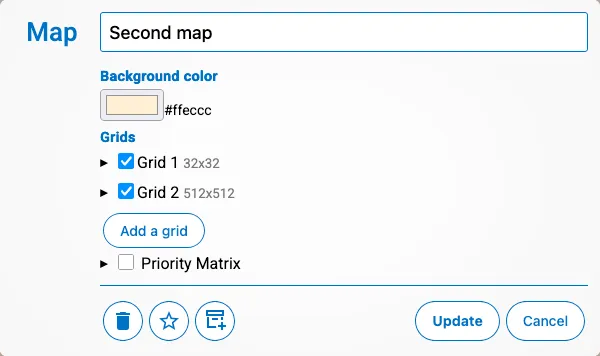
In the edit dialog you can do the following:
- Change the name of the map
- Change the background color
- Change the grids
- Change the priority matrix
At the bottom you will have three additional buttons, besides update and cancel:
- Delete - Will delete the map after confirmation. Is displayed as a thrash icon.
- Make default map - Will make this map the first map so that it opens on this map.
- Archive/unarchive - Will hide the map in the map list, shown as box with a plus or minus.
- An archived map is hidden in the list.