
Grids
Every map can have a multiple grid and can be customized either through editing a map and are determined by the defaults of a workspace.
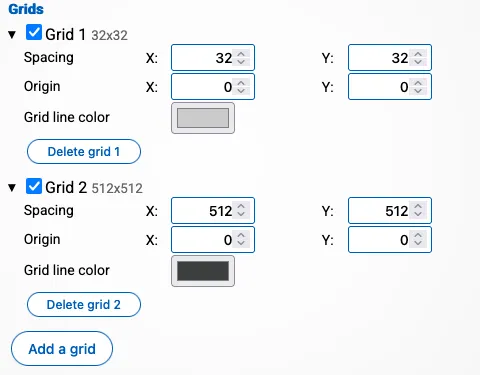
You can change the size of each cell and the origin of the center.
Each grid has the following properties:
- Spacing: How much space each cell in the grid should be. This must be a positive number
- Origin: Where the 0,0 coordinate of the grid should be in relation of the 0,0 coordinate of the map.
- Color: Which color the grid lines should have.
The checkbox in front of each grid allows you to enable/disable the grid. A disabled grid will not be drawn.
You can create multiple grids by pressing “add a grid”, and remove existing grids by pressing “Delete grid”.
In general you want the smallest grid at the top and the biggest grid at the bottom as this is the order in which the grids are drawn. Doing so will allow you to create minor and major grid lines. In the example above, the grid of 512 by 512 is drawn over the grid of 32 by 32.