
Customize Task Formulas
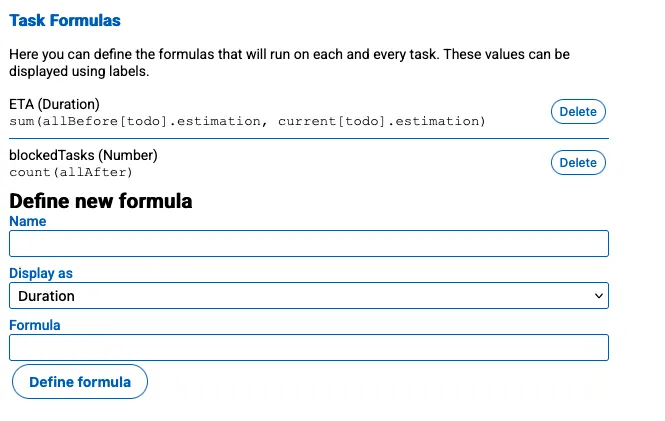
Here you can define the formulas that are used in your workspace.
- Name: The name of the property that will be displayed in the task properties editor.
- Display as: The type of the property, which can be one of the following:
Duration: A duration field.Number: A numeric field.
- Formula: The formula that is used to calculate the value. See the examples below or go to the Formula Language documentation for more information about the formula language
Examples
Section titled “Examples”Calculating ETA
Section titled “Calculating ETA”The term ETA stands for estimated time of accomplishment, which is the estimated time it will take to deliver a task. You can calculate the ETA of a task by summing the estimation of all subtasks and the estimation of the task itself. You can use the following formula to calculate the ETA of a task:
sum(allBefore[todo].estimation, current[todo].estimation)How does the formula work:
- It
sums- All the tasks that are
allBeforethe current task (direct and indirect tasks) are have the statustodousing theestimationproperty - The
current(but only if it’s still marked astodo) using theestimationproperty
- All the tasks that are
Blocked Tasks Count
Section titled “Blocked Tasks Count”You can calculate the amount of tasks that are blocked by the current task by counting all the tasks that are blocked by the current task. You can use the following formula to calculate the amount of tasks that are blocked by the current task:
count(allAfter[todo])How does the formula work:
- It
counts2. The tasks that areallAfter(direct and indirect) the current task whose status istodo.